


Best DTF Printers for Small Businesses in 2026: Introducing the Gallery F1080 Gen 2
Oct 26th 2026
Great designs are only part of running a successful custom apparel shop. You also need a printing workflow that can keep up with orders, produce consistent results, and fit your budget and workspace.
Direct-to-film (DTF) printing lets businesses produce detailed, full-color transfers for T-shirts, hoodies, tote bags and more—without cutting and weeding individual layers of heat transfer vinyl. But which printer should you choose? This guide starts with USCutter's Gallery F1080 Gen 2 13-inch DTF printer, then compares other equipment for different production needs.
In this guide
- Gallery F1080 Gen 2: features and benefits
- How the DTF process works
- Compare DTF printers at USCutter
- Buy a printer or outsource transfers?
- Equipment and supplies you'll need
- Five practical buying tips
- Frequently asked questions
FEATURED PRINTER
Meet the Gallery F1080 Gen 2: Built for Growing Apparel Shops
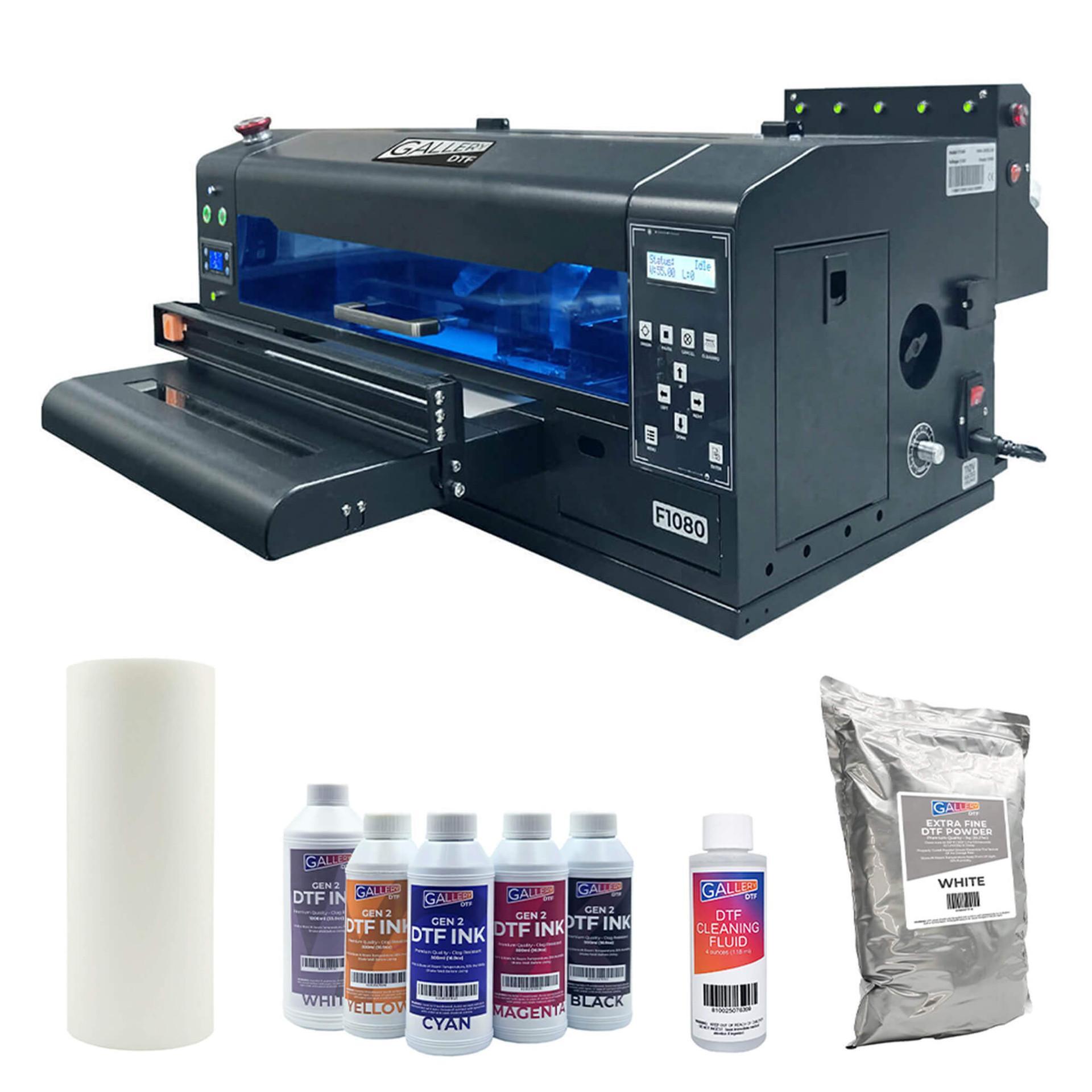
The Gallery F1080 Gen 2 offers 13-inch DTF printing in a setup designed for small to medium-sized operations. Its built-in film trimmer, intelligent white ink management and included starter supplies make it worth considering when you're ready to bring transfers in-house.
Best suited for: Custom apparel shops, small print businesses and entrepreneurs looking for a dedicated 13-inch DTF production setup.
Explore the Gallery F1080 Gen 2
Built-in Film Trimmer
Separate printed transfers for smaller, on-demand jobs. For compatible inline shaker workflows, the trimmer can be raised to allow continuous film feeding.
Why it matters: More flexibility between short custom runs and larger production batches.
Intelligent White Ink Management
White ink circulation and monitoring features help operators manage an important part of daily DTF printing.
Why it matters: A more manageable routine though regular cleaning and maintenance are still essential.
13-inch Production Format
A useful size for many common apparel graphics and transfer layouts. Match your actual artwork dimensions to the printable area before buying.
Why it matters: Buy for the jobs you produce most often, not just the largest specification.
Starter Supplies and Training
The printer package includes DTF ink, film, adhesive powder, software, a cleaning kit and access to online training. Check the product listing for exact bundle contents.
Why it matters: A clearer starting point for new DTF operators.
Plan for a complete setup: You'll also need appropriate curing equipment, a heat press, suitable ventilation/filtration and a compatible computer. The included software is designed for Windows.
How Does DTF Printing Work?
DTF printing is best understood as a five-stage workflow. Each stage affects the final transfer quality.
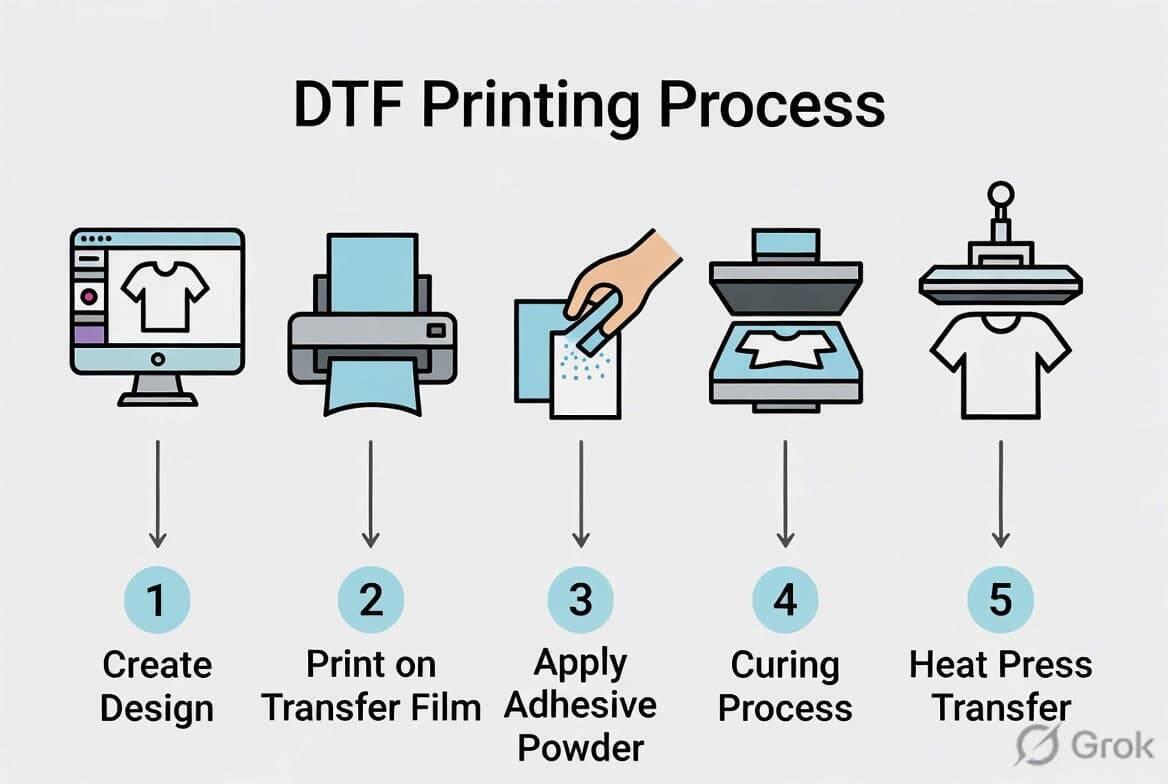
1-Prepare the artwork
Import your design into compatible RIP software and configure the color and white ink layers.
2-Print on DTF film
Print the design onto coated transfer film using compatible DTF inks.
3-Apply adhesive powder
Coat the printed image with appropriate DTF adhesive powder and remove the excess.
4-Cure the transfer
Use a compatible curing oven or shaker/dryer and follow the relevant film, powder and equipment instructions.
5-Heat press the garment
Apply the cured transfer using the recommended temperature, pressure, time and peel method for your materials.
Practical tip: Test transfers on the actual garment fabric before accepting a large order. A good print still depends on correct curing and pressing.
Which DTF Printer Is Right for Your Business?
Printer choice depends on order volume, print width, maintenance needs and the rest of your workflow—not just machine price.
|
Printer |
Best fit |
Key consideration |
|
Gallery F1080 Gen 2 |
Small and growing apparel shops |
13-inch format, built-in trimmer, white ink management |
|
Gallery DHi1600 Dual Head |
Growing shops seeking greater output |
Dual-head 13-inch production |
|
Prestige R1 |
Compact professional production |
Maintenance features and bundle options |
|
Roland BY-20 |
Desktop versatility |
DTF printing plus contour cutting for compatible workflows |
|
Prestige XL2 Pro |
Wider-format production |
24-inch film and workflow/space requirements |
Gallery F1080 Gen 2
For shops bringing DTF transfers in-house with a 13-inch production format and practical workflow features.
Gallery DHi1600 Dual Head
For shops that need greater throughput while keeping a 13-inch printing format.
DTF Station Prestige R1
A compact professional option with automated maintenance features. Check the included equipment in your preferred bundle.
Roland VersaSTUDIO BY-20
For apparel decorators who want DTF printing plus integrated contour cutting for compatible heat transfer designs.
Higher-volume businesses may also consider wider-format options such as the Prestige XL2 Pro. Confirm electrical, space, ventilation, maintenance and system requirements before selecting an industrial setup.
Should You Buy a DTF Printer or Outsource Transfers?
In-House DTF Printing
Consider it when: You order transfers frequently, need quick turnaround, and want direct control over artwork changes and production scheduling.
Remember: Equipment ownership includes consumables, maintenance, curing, operator time and workspace requirements.
Outsourced DTF Transfers
Consider it when: Order volume is irregular or you want to test customer demand before purchasing equipment.
Remember: Supplier lead times and minimums can affect last-minute orders and your flexibility.
Try this: Review the last 60 days of orders. Count transfers, total outsourcing expense, artwork sizes and delays. Use those numbers to estimate whether bringing production in-house makes business sense.
What Equipment and Supplies Do You Need?
A DTF printer is part of a system. Depending on the model and bundle, plan for the following:
- DTF film: Compatible coated film with the preferred peel method.
- DTF ink: Ink formulated for your printer and printhead.
- Adhesive powder: Appropriate powder for your application and fabric.
- Curing equipment: A compatible oven or shaker/dryer.
- Heat press: Consistent temperature, pressure and pressing time.
- Ventilation or filtration: Suitable for the curing and pressing environment.
- Maintenance supplies: Manufacturer-recommended cleaning products.
Never assume a printer bundle contains every component. Read the contents list and requirements carefully before ordering.
Explore DTF Equipment & Supplies
Five Practical Tips Before You Buy
1. Start with real order volume
Base your purchase on typical weekly demand and seasonal peaks not only future growth goals.
2. Choose your print width
Compare actual garment artwork sizes with the printer's usable image area; 13-inch and wider formats solve different problems.
3. Budget for the full system
Include the heat press, curing, consumables, ventilation, maintenance and labor.
4. Understand white ink care
Even circulation and automatic cleaning features do not replace proper daily operating procedures.
5. Plan your workflow
Think about one-off designs, gang sheets, manual powdering and whether an inline shaker/dryer would reduce handling.
Frequently Asked Questions About DTF Printers
What is the best DTF printer for a small business?
It depends on your budget, order volume, design size and maintenance capacity. The Gallery F1080 Gen 2 is one 13-inch option; higher-volume shops may benefit from wider or faster configurations.
Can DTF transfers be used on cotton and polyester?
They can be applied to many cotton, polyester and blended garments using suitable supplies and verified heat press settings. Test on your specific fabric.
Do I need a heat press for DTF printing?
Yes. A compatible heat press is generally needed to apply the cured transfer to the garment.
Is a 13-inch DTF printer big enough for T-shirts?
It can handle many standard chest logos and front graphics. Wider equipment may be better for oversized artwork or larger gang sheets.
Do DTF printers need regular maintenance?
Yes, especially for the white ink system and printhead. Follow the manufacturer-specific cleaning and operating schedule.
Is DTF good for short custom runs?
Yes. It is useful for multicolor, detailed designs without cutting and weeding separate vinyl layers.
Do I need an automatic shaker oven?
Not always. Manual powdering and appropriate curing equipment can work for smaller volumes; automation becomes more compelling as orders increase.
FIND YOUR NEXT DTF SETUP
Ready to Bring DTF Printing In-House?
Explore the Gallery F1080 Gen 2 or compare the broader selection of DTF printers at USCutter. Choose equipment that fits your order volume, workspace and production goals.
Product configurations, availability and specifications can change. Review the current USCutter product listings for confirmed details before purchasing.